Thumb Time: A Fifteen-Quid Winter Sim Plan That Earns Its Keep by Spring
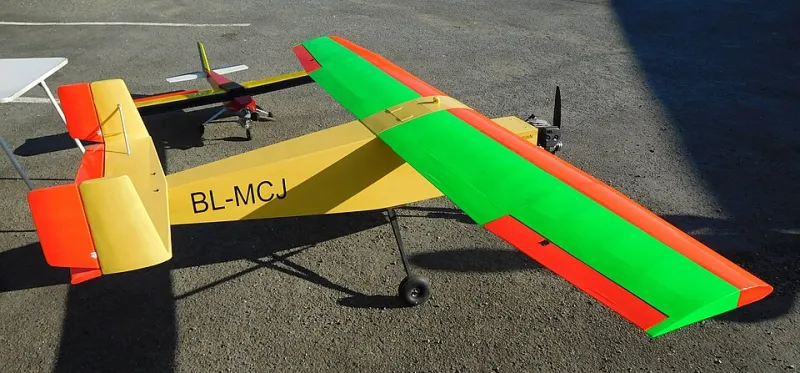
Photo: Cjp24, CC BY-SA 4.0, via Wikimedia Commons
Winter in the UK does not politely pause model flying. It turns the patch into a sponge, shortens the day to a lunch break and makes every Saturday forecast a small act of hope. That is where the simulator earns its place. Not as a replacement for real airtime — it is not — but as a way of stopping your thumbs from going feral between now and the first dry spring evening.
The good news is that you do not need a £500 setup or a dedicated gaming PC. A sensible £15 plan, your own transmitter and a free simulator will do more for your spring flying than another model you have nowhere to hang.
The £15 bit: dongle, cable and the transmitter you already own
The centre of the plan is a USB simulator dongle. These are sold under various names — often as an RC flight simulator cable — and typically cost £12–£20. The job of the dongle is simple: it presents your transmitter to the computer as a joystick. You plug your TX into the dongle, the dongle into a USB port, and the sim sees your sticks, switches and, on some units, your rates and expo.
Check what your radio needs before you buy. If you fly Spektrum, a WS1000 or WS2000-style dongle is the obvious route. If you fly OpenTX or EdgeTX, many radios will act as a USB joystick with a plain data cable, which is even cheaper. Older transmitters may need a trainer-port lead. The point is not brand loyalty; the point is using the same gimbals and the same feel you have at the field.
Do not use a toy gamepad. It teaches your hands the wrong thing. The whole value of the sim is repetition with the transmitter you actually fly.
The software shortlist: free first, fancy later
You can spend a lot on simulators, and some of them are very good. But for a winter thumb routine, free is a perfectly respectable starting point. PicaSim is free and cheerful, with a useful mix of power, slope and thermal flying. CRRCSim is open source and does the basics well. RC Desk Pilot is another low-cost option that will get you flying circuits rather than fiddling with settings. If you already have a paid sim, use it — but do not let the lack of one become the excuse.
Pick one model in the sim that is close to what you fly in real life. If your club trainer is a high-wing .46 or an electric foamie, fly that, not a 3D extra with a vectored thrust pipe. The sim should feel like a slightly sterile version of your Sunday, not a video game.
The three-evenings-a-week drill
The routine is deliberately short: three evenings a week, 25 minutes each. Set a timer. Flying aimlessly for an hour is not practice; it is screen time with a transmitter attached.
Evening one: circuits and landings
Five takeoffs. Five landings. That is the session. On takeoff, line up, open the throttle progressively and use rudder to hold the centreline. On landing, fly a proper circuit — downwind, base, final — and aim to touch down within a few metres of the same spot each time. Do not count a bounce-and-pray arrival as a landing. If the sim lets you, use a runway with a visible threshold and treat it like your club strip.
Evening two: wind and rudder
Set the wind to 8–10 mph at about 90 degrees to the strip, with a bit of gust. Fly rectangular circuits and keep the model crabbing correctly rather than pointing at the runway. Practise crosswind landings: wing down into wind, rudder to keep straight, then flare. This is the session that pays off in March, when the wind has not read the club calendar.
Evening three: deadstick and decisions
Climb to a safe height, chop the throttle and call 'deadstick' out loud. Then plan the glide: turn downwind, keep the speed up, pick a field and land. Do it five times. Then practise an engine failure on takeoff: lower the nose, land ahead, do not try to turn back. The sim cannot give you the stomach drop, but it can give you the sequence.
Set up the sim like your model, not like a game
Match your rates and expo. Match the model class. Add a bit of turbulence rather than switching it off. Use the reset button sparingly — if you crash, take the walk of shame in your head and think about why. Fly from a standing position if that is how you fly at the patch, and use a timer so you do not accidentally practise fatigue.
Keep a small notebook: date, drill, minutes, landings, crashes and one thing to fix next time. It sounds fussy. It is also the difference between 'I had a go on the sim' and 'I fixed my crosswind landings over winter'.
What the sim cannot teach you
It cannot teach you depth perception at 50 metres, the pucker factor when the model is low and slow, or the sound of an engine that is about to lean out. It will not teach you field etiquette, starting procedure, or how to ignore a clubmate's helpful advice while you are on final. It is a thumb trainer and a decision trainer, not a substitute for airtime.
But used properly, it is the cheapest winter upgrade you can make. Fifteen quid, three evenings a week, and a spring arrival that feels like a continuation rather than a restart. That is a good return on a dongle.